AI Automation
AI Chatbots for Customer Support: A Practical Guide for Enterprise Companies
Learn how enterprise teams use AI chatbots for customer support to improve response times, integrate systems, reduce workload and retain human oversight.
By Tayyiba Suleman - Published July 31, 2026 - Updated July 31, 2026 - 14 min read
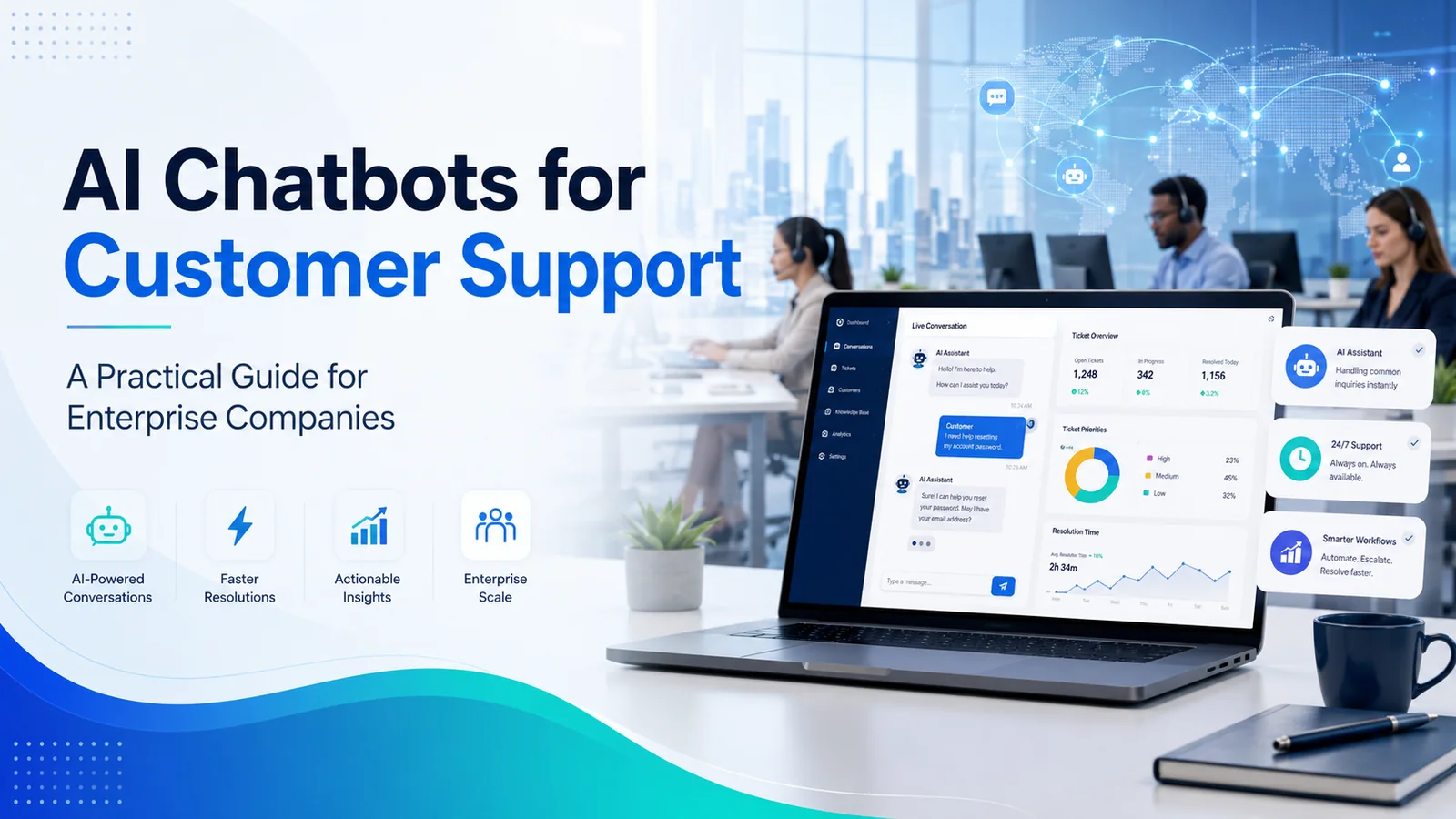
A practical enterprise guide to planning, integrating and measuring AI-powered customer support without removing human judgment from complex cases.
Reader outcome: Plan enterprise AI chatbots for customer support with integrations, governance, measurement and human oversight. This article is educational, uses safe CurrentReach AI-owned visuals, and labels illustrative examples where they appear.
How this guide was prepared
This article is written for CurrentReach AI readers using service-planning experience, website implementation patterns, SEO checks, automation workflow review, and practical measurement considerations. It is not copied from a third-party report or generated from private account data.
Mapped around triggers, owner review, failure handling and data quality.
Keeps human approval in sensitive customer-facing steps.
Connects workflow ideas to measurable lead and follow-up outcomes.
Enterprise customer service teams are expected to respond quickly, remain available across time zones, protect customer data and deliver a consistent experience through every channel. At the same time, support volumes continue to grow across websites, mobile applications, email, live chat and customer portals. Adding more agents may help temporarily, but it does not solve fragmented knowledge, repetitive work or slow routing.
AI chatbots for customer support give enterprise teams another operating layer. A well-designed chatbot can answer approved questions, collect context, search an authorized knowledge base, create or update tickets and transfer complex cases to a human agent. The goal is not to remove people from customer service. The goal is to automate predictable work while preserving human judgment where accuracy, empathy, negotiation or risk matters.
This guide explains how enterprise companies can evaluate, implement and measure AI-powered support in a practical way.
What Are AI Chatbots for Customer Support?
AI chatbots for customer support are conversational systems that use artificial intelligence and natural-language processing to understand a customer request and provide a relevant response or action. Unlike a basic scripted bot, a modern system can identify intent, retain limited conversational context, retrieve approved information and follow defined workflow rules.
Depending on its permissions and integrations, a chatbot may help a customer check an order, reset an account password, find documentation, schedule an appointment, report a technical issue, update contact details or create a support case. It can also gather information before escalation so the human agent receives the conversation history, account context and steps already attempted.
The most dependable enterprise deployments use controlled data sources, limited permissions, clear fallback rules and human review. CurrentReach AI's guide to human-in-the-loop AI workflows explains why review remains important when automation affects customer communication or sensitive business decisions.
Why Enterprise Support Operations Need a Scalable Model
Large organizations usually support multiple products, regions, customer tiers and communication channels. That complexity creates recurring operational problems:
- Customers wait while agents handle simple questions manually.
- Different teams provide inconsistent answers.
- Knowledge is spread across documents, inboxes and internal systems.
- Support agents repeatedly copy information between platforms.
- Requests reach the wrong department and require additional transfers.
- After-hours inquiries receive no meaningful first response.
- Managers cannot easily compare automation, resolution and escalation outcomes.
AI chatbots for customer support can provide a structured first line of service. They can manage several conversations at once, follow approved workflows and make routine assistance available beyond normal working hours. The system should not claim that every issue can be resolved automatically. Instead, it should recognize its limits and move the customer to the correct human path.
Core Benefits for Enterprise Companies
Faster Initial Responses
Many customer questions are repetitive and time-sensitive. A customer may only need an order status, a policy explanation or a link to the correct help article. An enterprise chatbot can respond immediately when the answer exists in an approved source.
Faster does not automatically mean better. The response must still be relevant, understandable and accurate. For that reason, the organization should define which topics the chatbot may answer directly and which topics require verification or escalation.
24/7 First-Line Availability
International companies often receive requests outside the working hours of a regional support team. AI chatbots for customer support can acknowledge the inquiry, provide safe self-service guidance, collect required details and create a ticket at any time.
The customer receives a clear next step instead of an empty inbox or an unclear automated reply. A human team can then continue the case during its operating hours with the collected context already available.
Lower Repetitive Workload
Support agents frequently spend time on password guidance, delivery questions, basic product navigation and standard policy explanations. Automating suitable requests can reduce repetitive work and give agents more time for technical troubleshooting, retention conversations, complaints, exceptions and high-value accounts.
This can also improve consistency because the chatbot uses the same approved source rather than relying on memory or manually copied text.
More Consistent Answers
Enterprise support policies change. Product features, return conditions, service availability and account processes may be updated across departments. A chatbot connected to a maintained knowledge base can give customers a more consistent answer than disconnected scripts or outdated documents.
Knowledge governance is essential. Every source should have an owner, review date and approval status. The chatbot should not search unrestricted internal content or treat every document as equally reliable.
Better Routing and Context Collection
A chatbot can ask structured questions before transferring a case. For example, a technical support flow may collect the affected product, device, operating system, error code, urgency and troubleshooting steps already completed.
This reduces back-and-forth and helps the human agent begin with useful context. It also supports more accurate routing by intent, customer tier, location, product line or risk category.
Where AI Chatbots Work Best
AI chatbots for customer support are most effective when the request is frequent, structured and supported by reliable information. Suitable enterprise use cases include:
- Account access and password guidance
- Order, delivery or service-status checks
- Appointment scheduling and rescheduling
- Product documentation and feature navigation
- Standard billing or subscription questions
- Basic troubleshooting with approved steps
- Ticket creation, categorization and routing
- Customer detail collection before escalation
- Multilingual first-line assistance
- Internal agent assistance and knowledge search
High-risk requests should normally remain human-controlled. These may include legal disputes, financial exceptions, medical or safety concerns, identity-sensitive account changes, security incidents, emotionally charged complaints and decisions with significant customer impact.
Combining AI Automation With Human Support
The strongest operating model is not chatbot versus human agent. It is a coordinated workflow in which each handles the work suited to its capabilities.
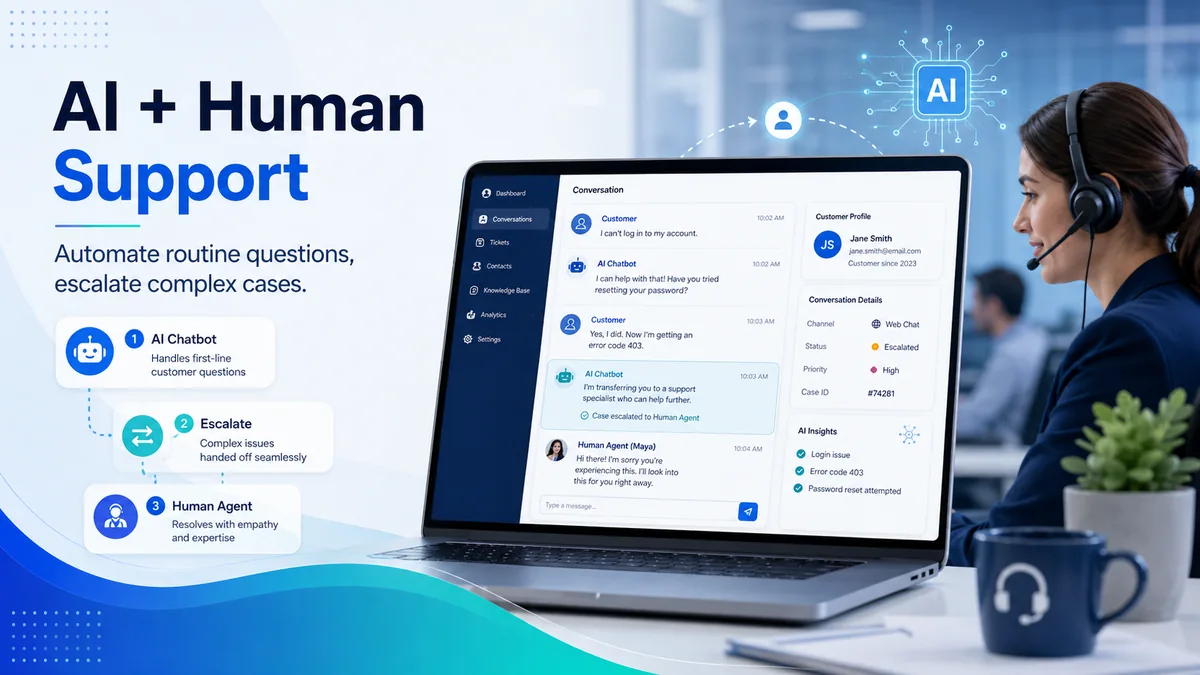
AI can classify requests, summarize conversations, retrieve approved content, draft replies and suggest next actions. Human agents can interpret ambiguity, show empathy, negotiate exceptions, evaluate risk and take responsibility for consequential decisions.
A good escalation flow should preserve the conversation history. Customers should not be forced to repeat their details because the channel changed. The agent should see what the chatbot asked, what the customer answered, which articles were shown and why the case was escalated.
Escalation triggers may include:
- Low confidence in the chatbot's answer
- Repeated customer dissatisfaction
- A request for a human representative
- Sensitive account or identity information
- A policy exception
- A high-value or priority account
- A security, legal or compliance-related topic
- Failure to resolve after a defined number of steps
CurrentReach AI's AI automation services are designed around structured workflows, integrations and human review rather than uncontrolled automatic actions.
Connecting Chatbots to Enterprise Systems
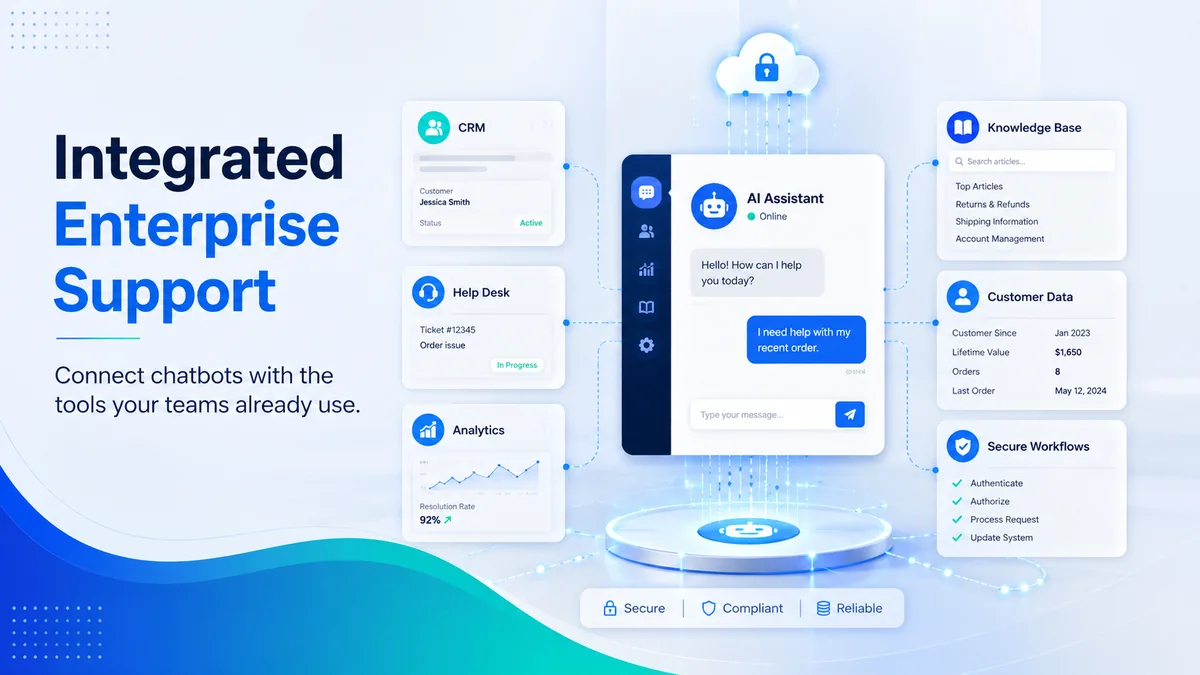
A standalone chatbot can answer general questions, but its value increases when it connects securely to the tools used by the support organization. Typical integrations include:
- Customer relationship management systems
- Help-desk and ticketing platforms
- Knowledge bases
- Order and inventory systems
- Account portals
- Appointment calendars
- Analytics and reporting tools
- Identity and access-management services
- Internal notification channels
- APIs, webhooks and workflow platforms
The chatbot should receive only the access required for its defined task. A system that checks an order status does not need unrestricted access to every customer record. Role-based permissions, authentication, logging and error handling should be planned before launch.
For organizations connecting forms, CRM records, notifications and AI steps, the guide to business workflow automation provides a useful planning framework. Teams using workflow tools can also review n8n automation for small businesses for practical integration and error-handling principles that also apply to larger implementations.
Security, Privacy and Governance Requirements
Enterprise adoption requires more than a useful conversation design. AI chatbots for customer support may process names, account identifiers, purchase information, ticket histories or internal business content. The organization must define what the system can access, retain and transmit.
A responsible deployment should address:
Data Minimization
Collect only the information needed for the support task. Avoid asking for sensitive data inside an open chat when a secure authenticated flow is required.
Identity Verification
Before displaying private account information or changing account settings, verify the customer through an approved authentication method.
Access Control
Restrict the chatbot, integration accounts and workflow credentials according to the principle of least privilege.
Logging and Auditability
Record important actions, escalations, errors and approvals so the organization can review what happened and improve the process.
Approved Knowledge Sources
Limit retrieval to maintained and authorized content. Clearly separate public help content from confidential internal documents.
Retention and Deletion Rules
Define how long conversations and extracted customer details are stored. Align the process with applicable contracts, policies and legal requirements.
Transparency
Tell customers when they are interacting with an automated system and provide a clear route to human assistance.
Testing and Monitoring
Test common questions, unusual wording, unsupported requests, malicious inputs, permission failures and integration outages. Monitoring should continue after launch because customer behavior and business information change.
A Practical Enterprise Implementation Plan
1. Choose a Narrow Initial Scope
Begin with one high-volume support area that has reliable documentation and measurable outcomes. Trying to automate every support topic at once usually creates weak answers and difficult testing.
2. Map the Existing Customer Journey
Document how requests arrive, which team handles them, what information is required, where delays occur and when escalation becomes necessary.
3. Prepare the Knowledge Base
Remove duplicates, identify outdated articles, assign content owners and define which sources the chatbot may use. Write answers in language customers can understand.
4. Define Actions and Permissions
Specify whether the chatbot may only answer questions or also create tickets, retrieve statuses, schedule appointments or update records. Give each action the minimum necessary access.
5. Design Escalation Rules
Decide what should trigger a human handoff, which team receives the case and what context must be included.
6. Test With Real Customer Language
Customers do not always use internal terminology. Test spelling errors, short questions, long explanations, different languages and frustrated wording.
7. Launch in Stages
Start with an internal pilot or a limited customer group. Review transcripts, failures, escalations and feedback before expanding.
8. Improve From Verified Data
Update the chatbot based on actual unresolved questions, not assumptions. Maintain a change log for prompts, knowledge sources, integration rules and permissions.
The CurrentReach Platform illustrates how lead records, workflow activity, replies and reporting can be organized in one operating view when implementation is scoped around a real business process.
How to Measure Performance
Automation volume alone is not a success metric. A chatbot can handle many conversations and still create a poor customer experience. Enterprise teams should evaluate quality, efficiency and risk together.
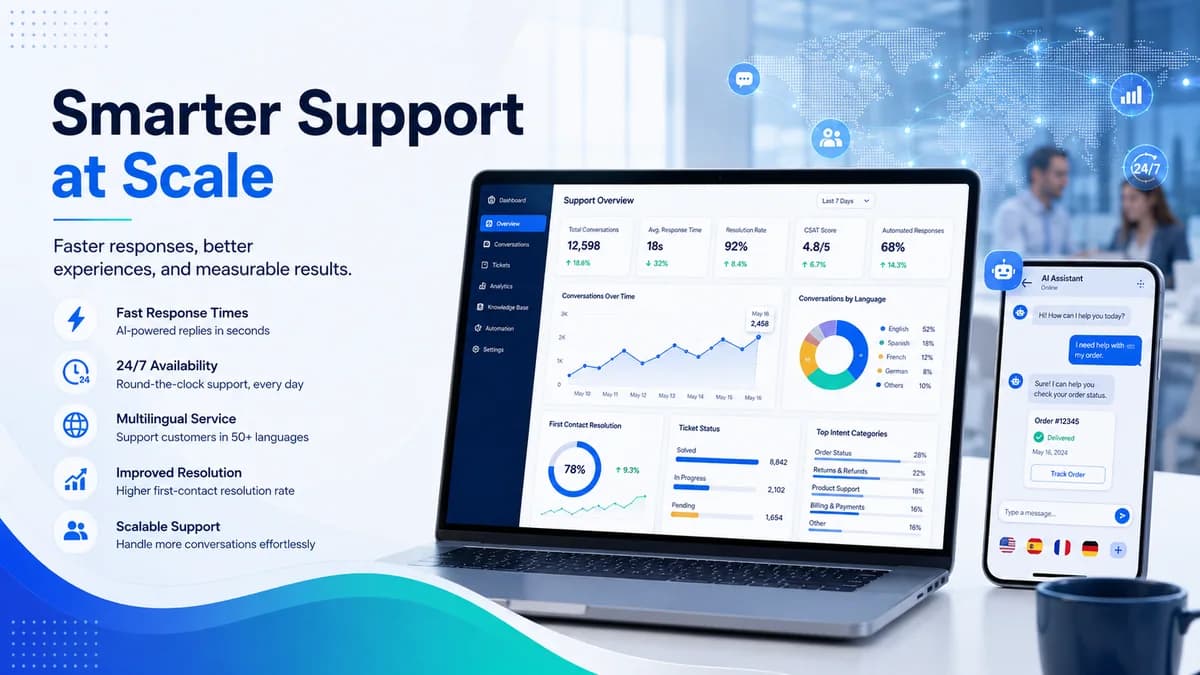
Useful measures include:
- First response time
- First-contact resolution rate
- Successful self-service rate
- Escalation rate by intent
- Average handling time after escalation
- Customer satisfaction
- Repeated-contact rate
- Abandoned conversations
- Incorrect or unsupported answer rate
- Ticket-routing accuracy
- Knowledge gaps discovered
- Integration failure rate
- Human review and override rate
- Cost per resolved conversation
AI chatbots for customer support should improve outcomes without hiding unresolved cases. Dashboards should distinguish between a conversation that was automatically closed, one that was genuinely resolved and one that required human follow-up.
Common Mistakes to Avoid
Launching Without a Clear Use Case
A chatbot should solve a defined support problem. A broad instruction to answer everything increases uncertainty and makes quality difficult to measure.
Using Uncontrolled or Outdated Content
If the knowledge base contains conflicting policies, the chatbot may produce inconsistent answers. Content maintenance is part of the operating model.
Blocking Access to Human Support
Customers should have a reasonable escalation path. Repeating the same automated answer damages trust and increases frustration.
Automating Sensitive Decisions
A chatbot should not independently approve refunds, make legal commitments, change high-risk account details or communicate uncertain claims without appropriate controls.
Ignoring Integration Failure
APIs time out, credentials expire and systems become unavailable. Every workflow needs a safe failure message, logging and a manual recovery path.
Measuring Only Deflection
Reducing agent contact is not automatically valuable. The organization should measure resolution, satisfaction, repeat contact and error rates.
The Future of Enterprise Customer Support
AI chatbots for customer support will become more capable as knowledge retrieval, workflow orchestration and agent-assistance systems improve. The practical direction is likely to be deeper coordination: the chatbot handles intake and routine tasks, AI assists the agent with summaries and recommendations, and human teams retain authority over complex outcomes.
Enterprises that benefit most will treat the chatbot as part of a governed service system. They will maintain their knowledge, test integrations, monitor quality and make escalation easy. Technology can increase speed and capacity, but customer trust still depends on accurate information, responsible decisions and clear accountability.
Frequently Asked Questions
Can AI chatbots replace enterprise customer support teams?
No. AI chatbots can manage repetitive, structured requests and assist agents, but complex, sensitive or high-impact cases still require human judgment and responsibility.
What is the best first use case for an enterprise chatbot?
A high-volume, low-risk request with reliable documentation is usually the best starting point. Examples include order status, account navigation, appointment scheduling or basic product guidance.
How should a chatbot handle questions it cannot answer?
It should state the limitation, avoid inventing information, collect useful context and transfer the customer to the correct human team.
Can an AI chatbot connect to a CRM or help desk?
Yes, when the systems provide suitable APIs, webhooks or supported integrations. Permissions, authentication, logging and error handling must be planned carefully.
How can an enterprise protect customer data in chatbot conversations?
Use data minimization, secure authentication, least-privilege access, encrypted connections, controlled retention, approved knowledge sources and regular security testing.
Which metrics show whether the chatbot is working?
Track response time, genuine resolution, escalation quality, customer satisfaction, repeated contact, routing accuracy, unsupported answer rate and integration failures.
Final Thoughts
AI chatbots for customer support can help enterprise companies respond faster, standardize routine assistance and connect customer conversations with operational workflows. The result depends on implementation quality, not the chatbot label.
Start with a defined use case, reliable knowledge and clear permissions. Keep people involved in complex decisions. Measure customer outcomes rather than automation volume alone.
To plan a secure, integrated support workflow for your organization, request a free strategy call with CurrentReach AI.
Practical checklist
- Choose a narrow support scope
- Map the customer journey
- Prepare approved knowledge sources
- Define chatbot permissions
- Design escalation rules
- Test real customer language
- Launch in stages
- Measure resolution quality
Related implementation path
Image sources
- ai-chatbots-for-customer-support-enterprise-guide.webp: Original CurrentReach AI illustrative blog image from supplied SEO package. License: Owned generated visual. Uses illustrative sample interface data only.
- ai-chatbot-human-support-escalation.webp: Original CurrentReach AI illustrative blog image from supplied SEO package. License: Owned generated visual. Uses illustrative sample interface data only.
- enterprise-ai-chatbot-integrations.webp: Original CurrentReach AI illustrative blog image from supplied SEO package. License: Owned generated visual. Uses illustrative sample interface data only.
- ai-customer-support-analytics.webp: Original CurrentReach AI illustrative blog image from supplied SEO package. License: Owned generated visual. Uses illustrative sample interface data only.
- ai-chatbots-customer-support-og.jpg: Original CurrentReach AI illustrative blog image from supplied SEO package. License: Owned generated visual. No private data present.
Need help applying this?
To plan a secure, integrated support workflow for your organization, request a free strategy call with CurrentReach AI.
Related guides
About the author
Tayyiba Suleman is Web Developer and Automation Developer. Articles are reviewed against the Editorial Policy and should be read with the Content Disclaimer.